Search
6.Recipe Formulas
Posted Date:2026.01.13 Browse Number:15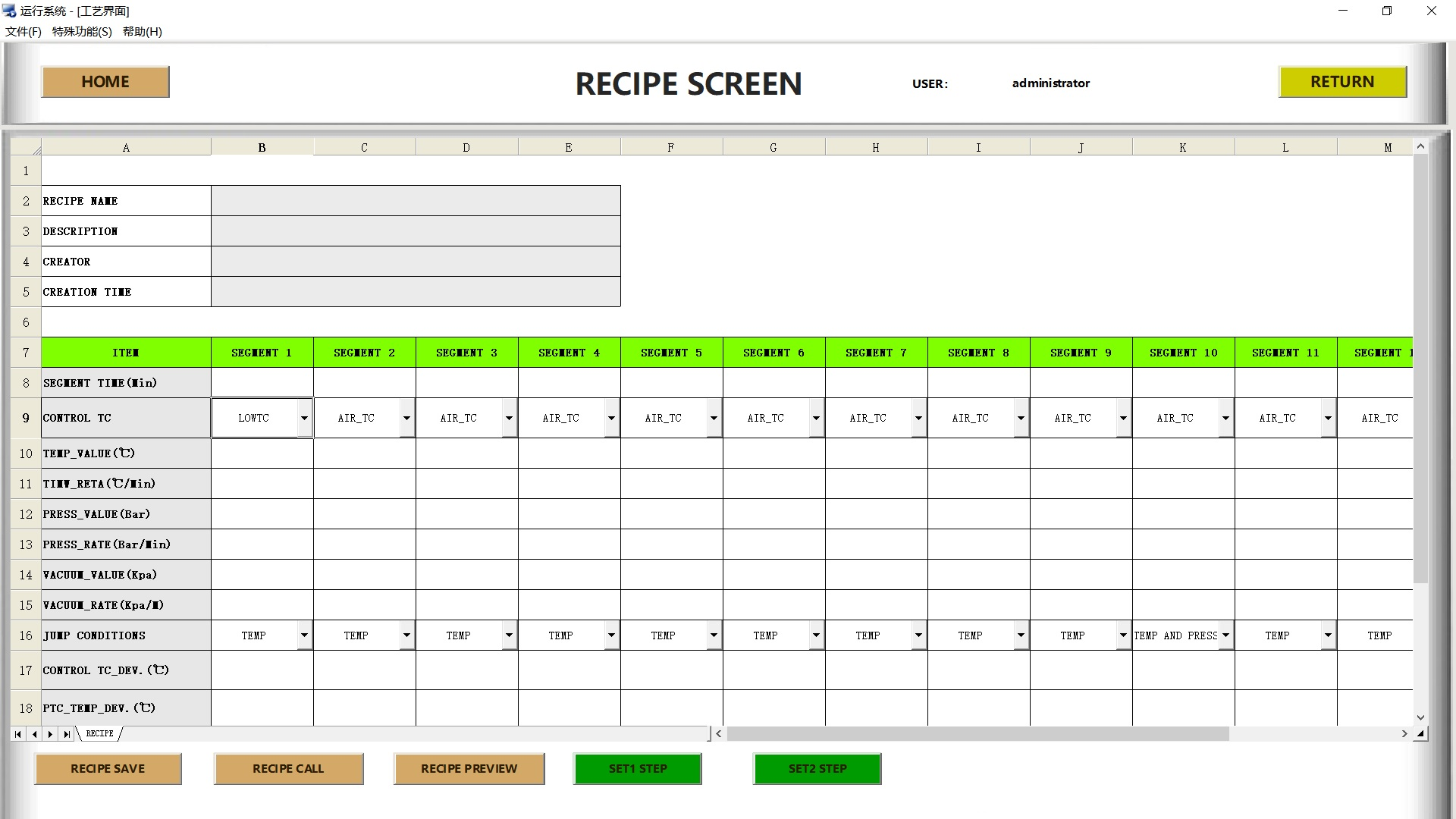
Image <6>Recipe interface
What is a Recipe?
A recipe is a step-by-step procedure that automatically replicates the required steps for operating or controlling equipment. The steps within a recipe are referred to as stages, and each setting within a stage is called a parameter.
Recipe Information
Recipe information mainly includes recipe name, recipe description, creator and creation time. Among these, the recipe name can be user-defined. The recipe description is a textual explanation of the recipe; it is recommended that the description provide general information about the recipe rather than simply repeating the recipe name. The creator and creation time record the operator's name and the exact time when the recipe was created, respectively.
The steps to create a new recipe are as follows: first, enter the above-mentioned recipe information items step by step; next, input the specific parameter data for each stage; finally, click the recipe save button to store the complete recipe in the computer hard drive.
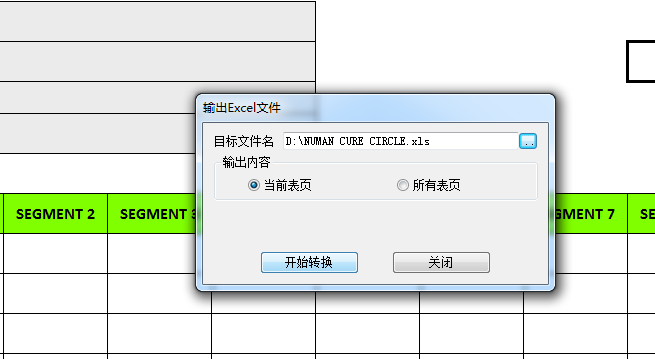
When uploading a new recipe to the PLC system, there are usually two starting methods: first, create a new recipe directly on the operation interface; second, load a stored recipe file via the Recipe Call button. Subsequently, click the Step 1 Setup and Step 2 Setup buttons in sequence to complete the transmission of the recipe to the PLC.
To modify an existing recipe in the PLC online, you can directly adjust the relevant parameters and information in the system, then click the Save Recipe button to store the updated version on the computer hard drive. Reload the modified recipe through Recipe Call, and execute Step 1 Setup and Step 2 Setup in sequence to make the changes take effect.
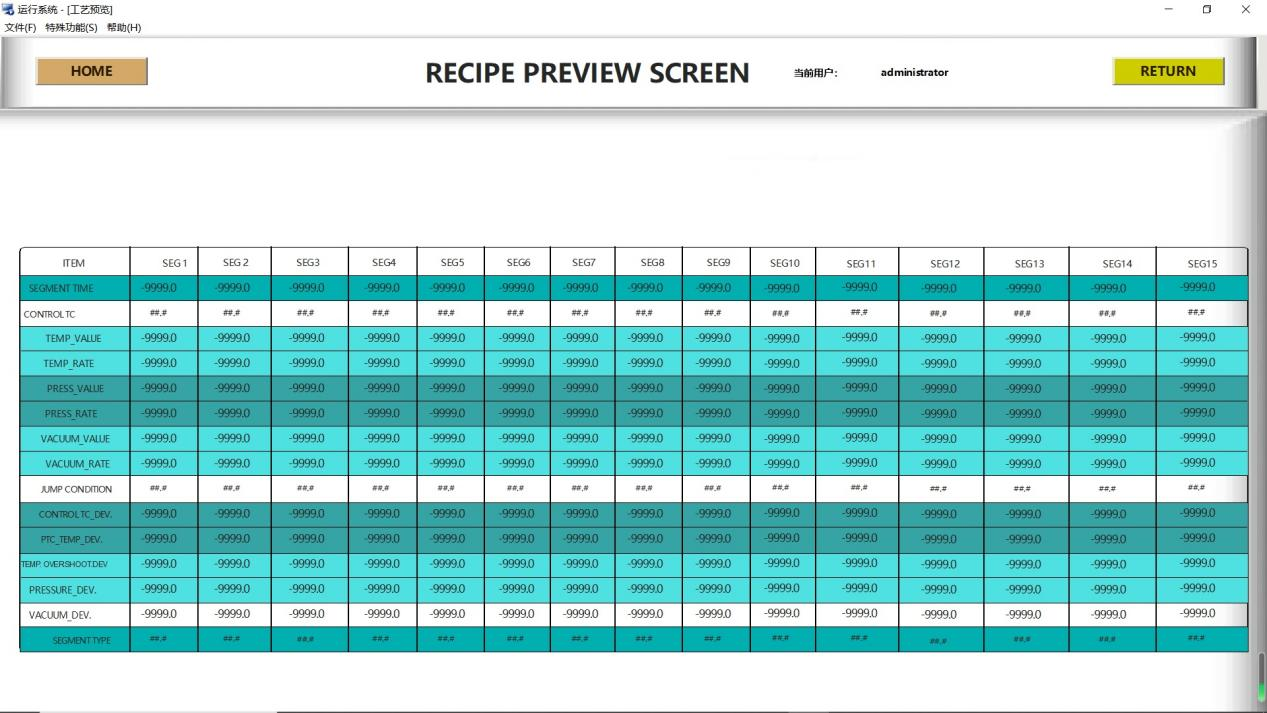
To confirm that the recipe data has been successfully transmitted to the PLC, you can click the Recipe Preview button to enter the preview interface after completing the setup operations, where you can view and verify the current recipe status and specific data in the PLC.
Recipe Parameters
Stage Time (Min)
Defines the duration of a stage, starting at the stage initiation. The system automatically proceeds to the next stage upon completion.
Target Temperature (℃)
Sets the target temperature for the air control thermocouple, independent of the actual stage and only subject to the programmed rate.
Temperature Rate (℃/Min)
Defines the heating rate of the temperature control group. The system attempts to raise the air control thermocouple temperature to the target at this rate during operation.
Target Pressure (Bar)
Sets the target pressure for the pressure control group, independent of the actual stage and only subject to the programmed rate.
Pressure Rate (Bar/Min)
Defines the pressure rise rate of the pressure control group. The system attempts to increase the pressure setpoint to the target at this rate during operation.
Vacuum Pressure (Kpa)
Sets the target vacuum pressure for the vacuum control group, independent of the actual stage.
Stage Type
Defines the Recipe stage type: Heating, Cooling, End.
· Select Heating for heating/heating-holding stages
· Select Cooling for cooling/cooling-holding stages
· Select End for the final stage (Mandatory: all recipes must end with this type to avoid operation errors)