Search
7.Report Center
Posted Date:2026.01.13 Browse Number:10As the core module of the software, it provides a centralized platform for data report generation and analysis. Users can accurately locate the report to be exported via the query function; clicking it will pop up a query dialog for entering filter criteria.
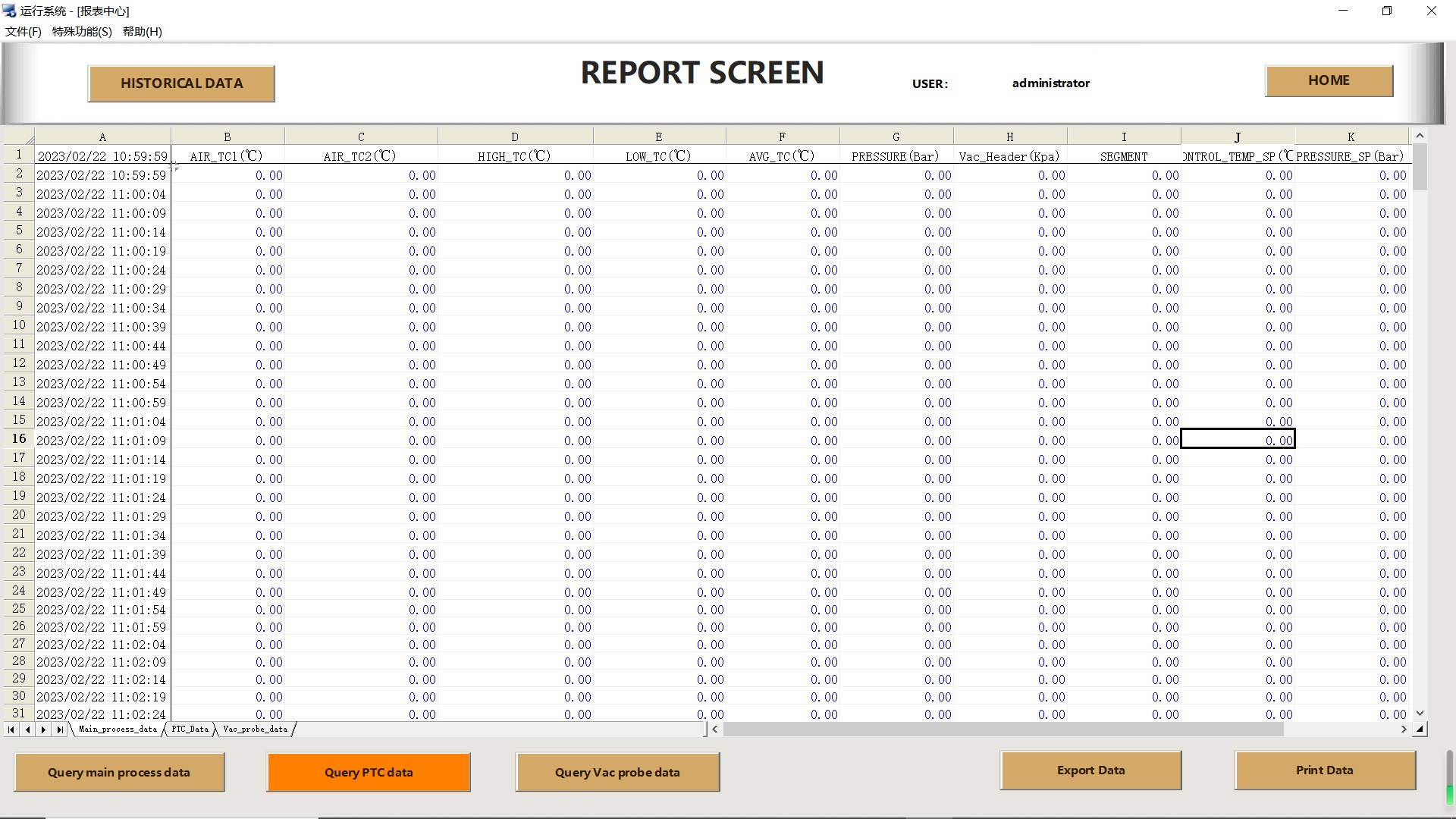
Flexible Data Filtering & Settings
Comprehensive settings are available to ensure report accuracy and relevance.
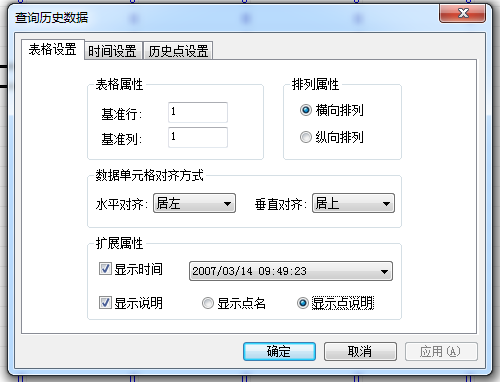
Table Settings: Users can check the Show Description box and define point descriptions for clearer and more intuitive report data.
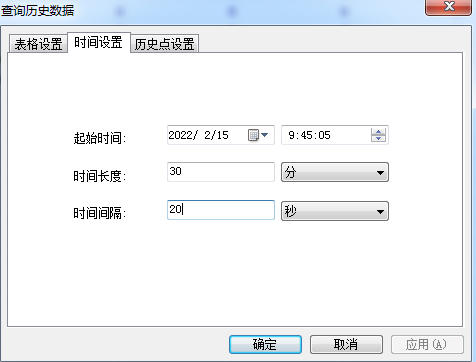
Time Settings: Customize the report's start time, time duration and interval to meet analytical needs across different time dimensions.
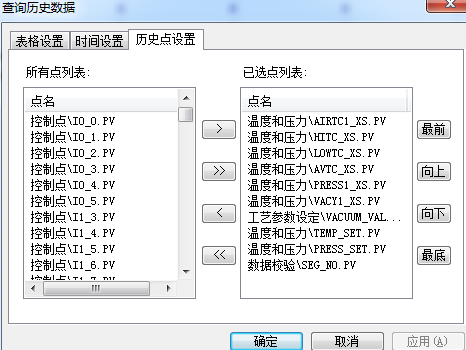
Historical Point Settings: Select specific data points from the sensor list for refined data extraction as needed.
Powerful Data Analysis Capabilities
The software not only enables report generation, but also integrates an advanced data analysis system to support in-depth analysis of process workflows for autoclaves, ovens and other equipment.
Data Analysis Screen: After loading a data file, the system instantly displays key operational information (date, time, recipe, product). Users can further view pre-operation integrity inspection reports (on-site checks, sensor checks, etc.) to ensure data reliability.
Multi-dimensional Data Viewing
Numeric Display Screen: For analyzing digital data. Users can select active sensors, main sensors or product-specific sensors for viewing. The system supports statistical calculation for the selected data range for quick insights.
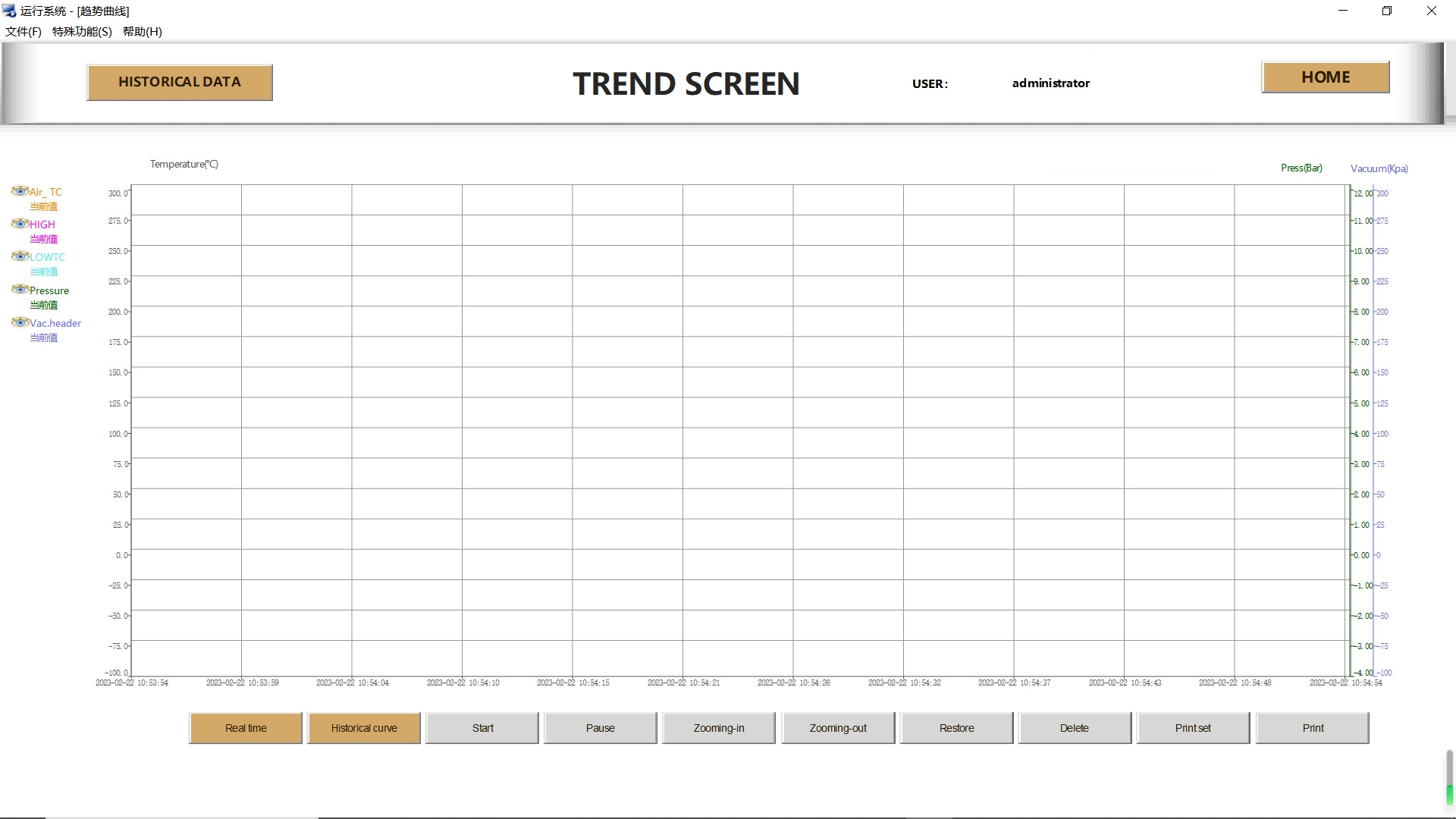
Trend Display Screen: Displays data changes via graphical trend lines. It supports custom sensor selection, display area zoom and pan. Users can even click and drag trend lines to identify the rate and value of specific data points, enabling intuitive process dynamic analysis.
Alarm Display Screen: Clearly categorizes and displays all operational information (blue for normal system info, green for manual intervention, red for alarms) for quick issue identification.
Professional & Diverse Report Types
The software supports generating a variety of professional reports, meeting reporting and auditing needs across different scenarios.
Recipe Display Screen: Shows the actual recipe used in operation; revised versions will be displayed if the recipe was modified with safety authorization during operation, ensuring full process traceability.
Comprehensive Report Options
Batch Report: Displays full information of all products, including attached thermocouples, vacuum sources, vacuum probes and pre-operation leak test results, ideal for overall overview.
Numeric Report: Provides interval numerical data, with the option to print data from all sensors, a single product or main sensors.
Trend Report: Presents data in trend graphs, supporting views for all products, a single product or main sensors.
Message Report: Compiles and displays all alarm and system information.
Intuitive Visualization & Interactive Experience
Screen Capture Report: Built-in screen capture generates digital and color trend reports for vivid, intuitive data presentation.
Easy Export, Printing & Sharing
Data Export: One-click export of reports or current digital grid data to Excel or CSV files, with user-friendly formats for subsequent offline analysis or system import.
Printing: Direct printing function for quick physical document generation.