Search
2.Batch Operation
Posted Date:2026.01.13 Browse Number:8Efficient Batch Lifecycle Management
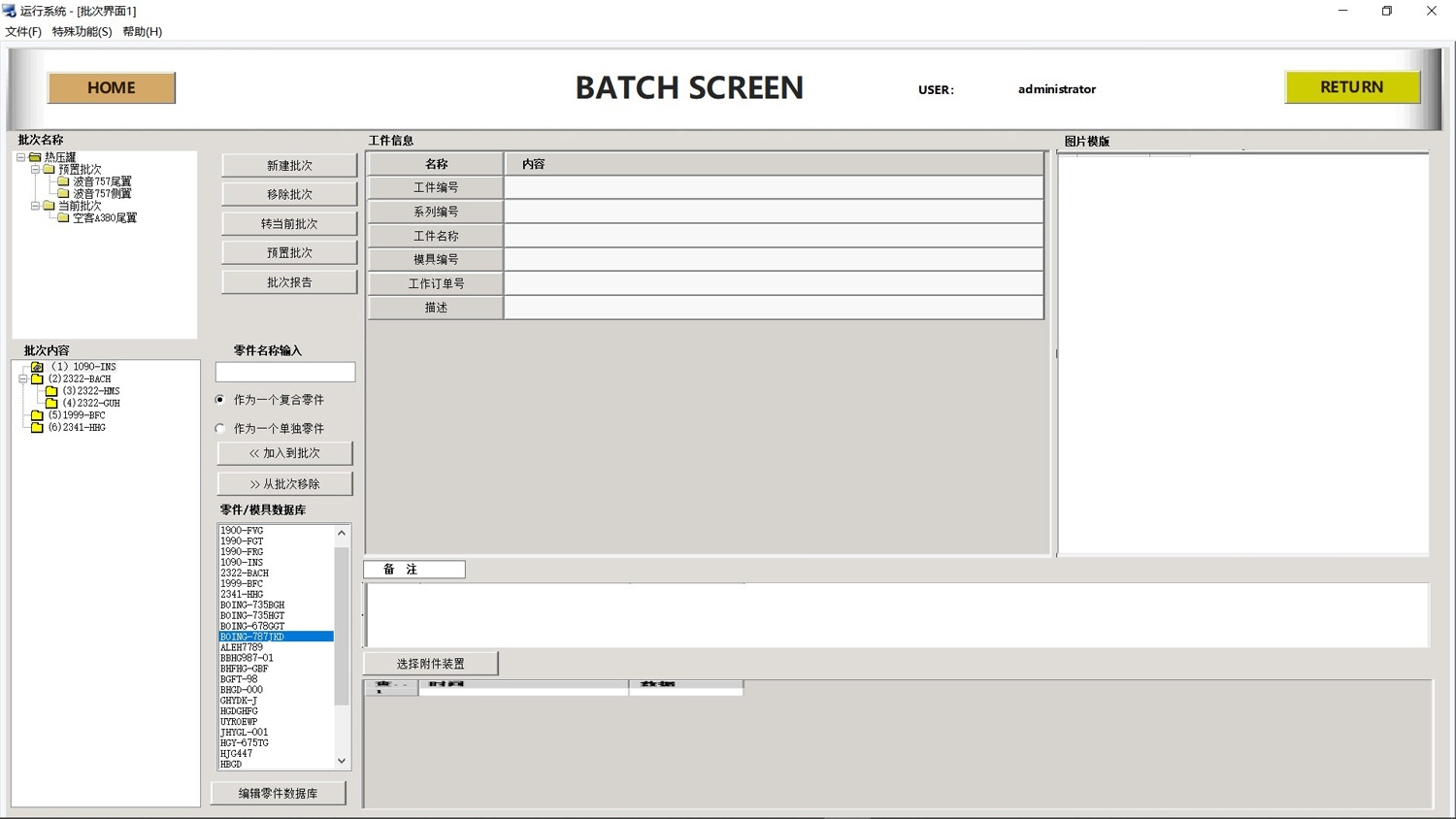
All production batches can be easily created, selected and managed via the left-side panel.
The Batch Content list displays all parts included in the current batch in real time, with clear visibility of status and support for quick adjustments.
Flexible Part & Batch Configuration
Rapidly select required items from the integrated part/mold database.
Easily assemble or adjust batch composition using the add and remove buttons.
Each part can be assigned a recipeing mode of Composite Part or Individual Part, with associated attachments and remarks to meet complex recipe requirements.
Unified Resource Database & Instant Maintenance
A robust built-in part and mold database serves as the central repository for all production resources.
The Edit Part Database function allows direct add, delete, modify and query operations within the interface, ensuring data is always up-to-date and maintenance is extremely convenient.