Search
1. Brief Software Function Introduction
Posted Date:2026.01.13 Browse Number:141.Login Interface
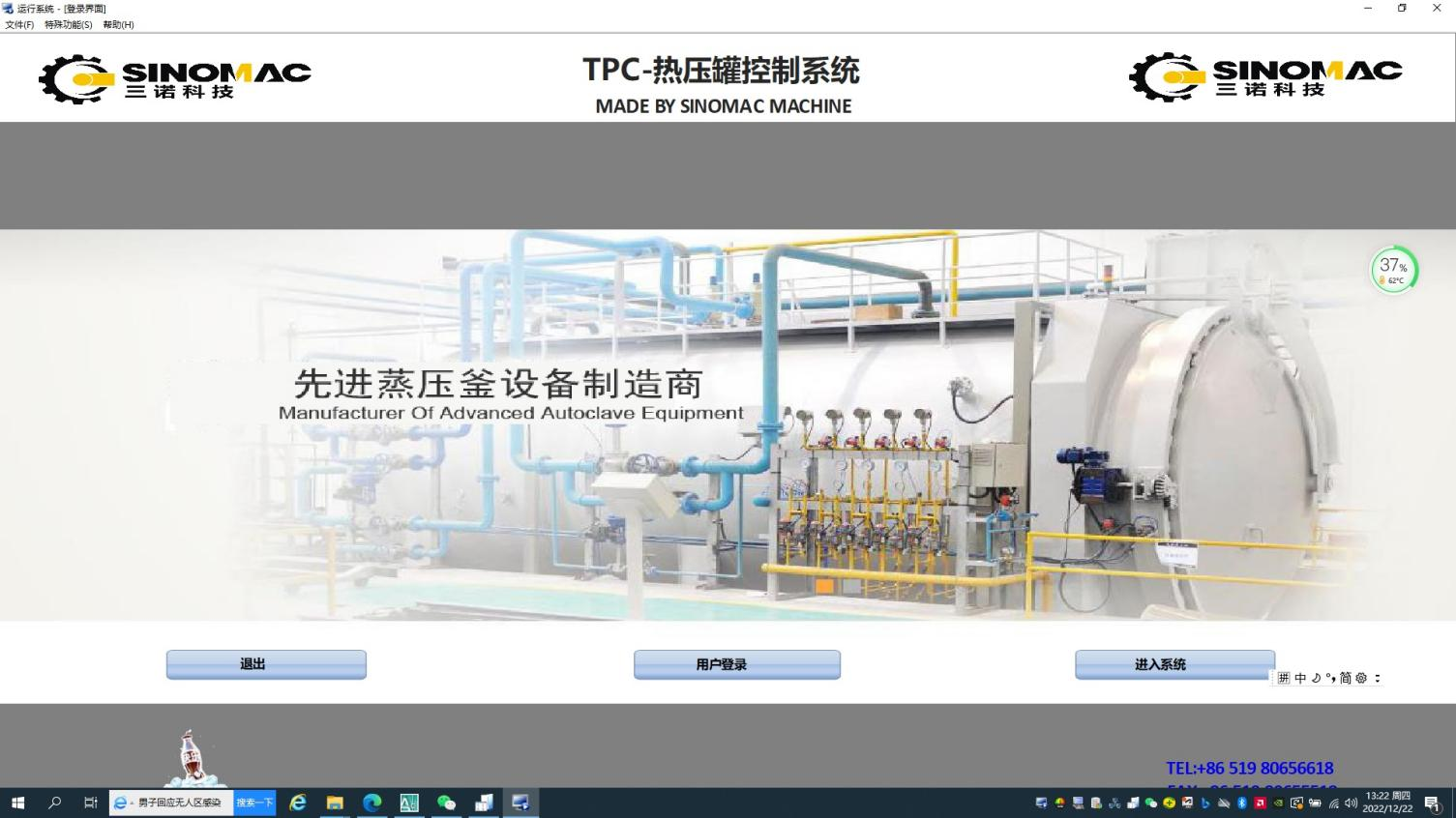
The system login is protected by password authentication. Operators are required to enter a valid username and password for secure system access.
2.Home Interface
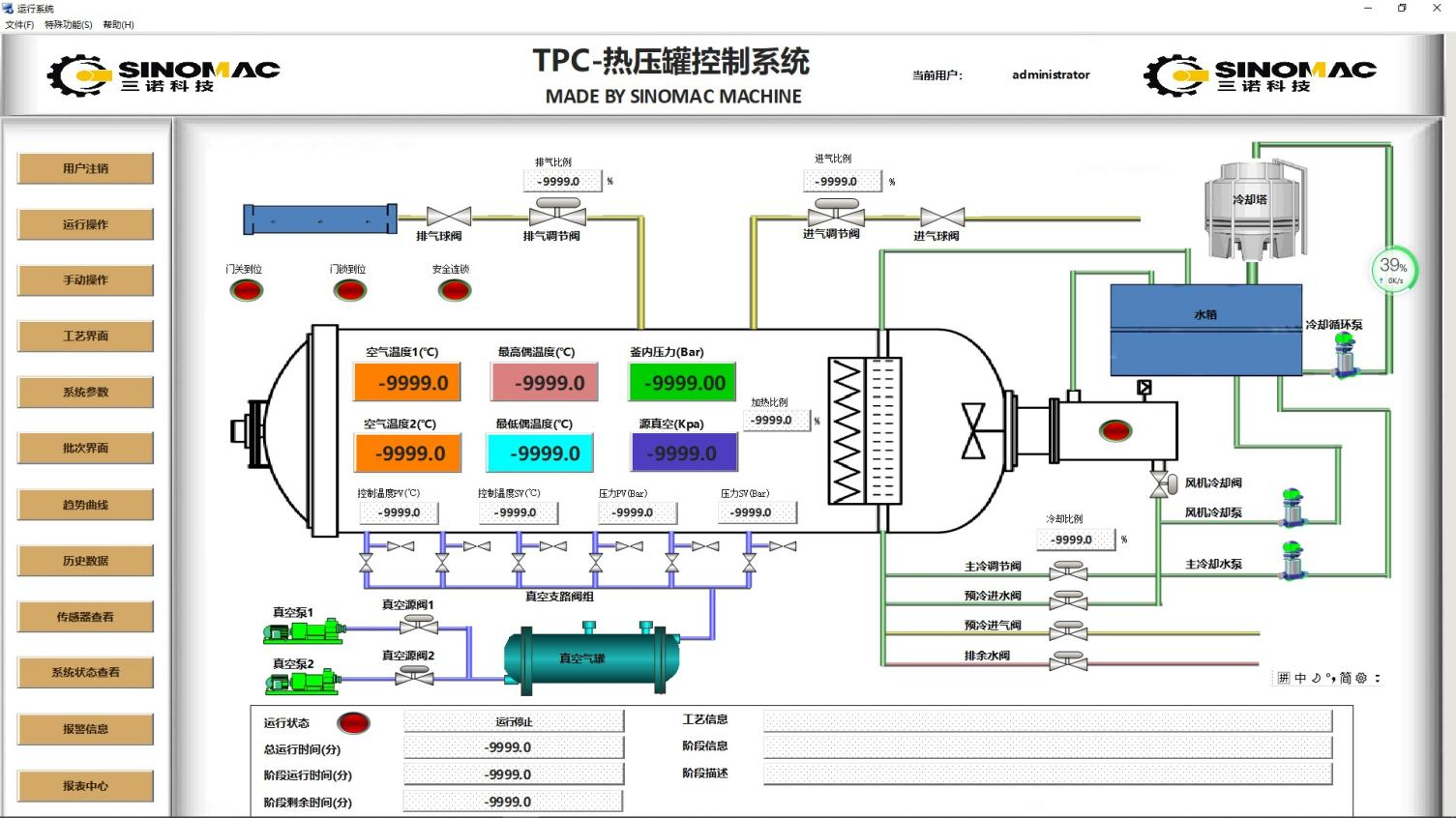
Real-time data is displayed centrally, including sensor readings, autoclave door and valve statuses, and current recipe information.
The left-side navigation bar allows access to all functional interfaces.
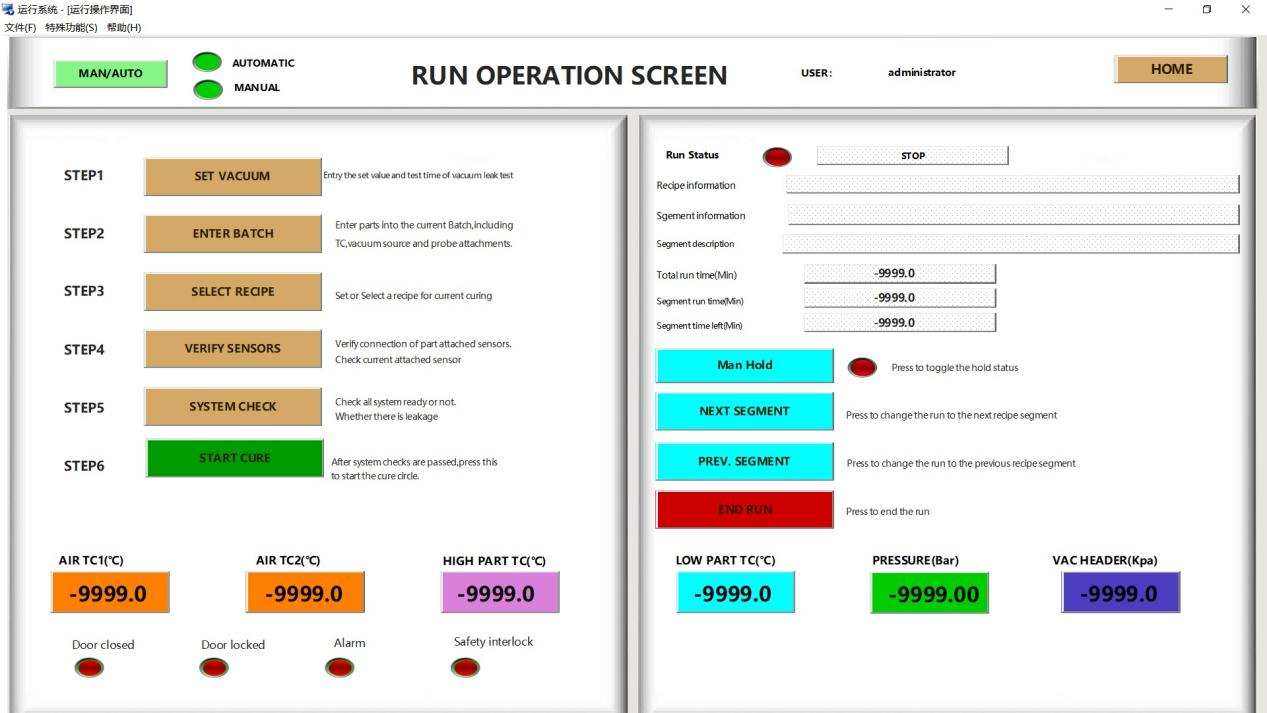
3.Automatic Operation Interface
The core hub for automated control.
It monitors operational status, facilitates pre-start preparations, and enables one-click recipe initiation.
Manual intervention functions are available, including pause, segment skip and recipe termination.
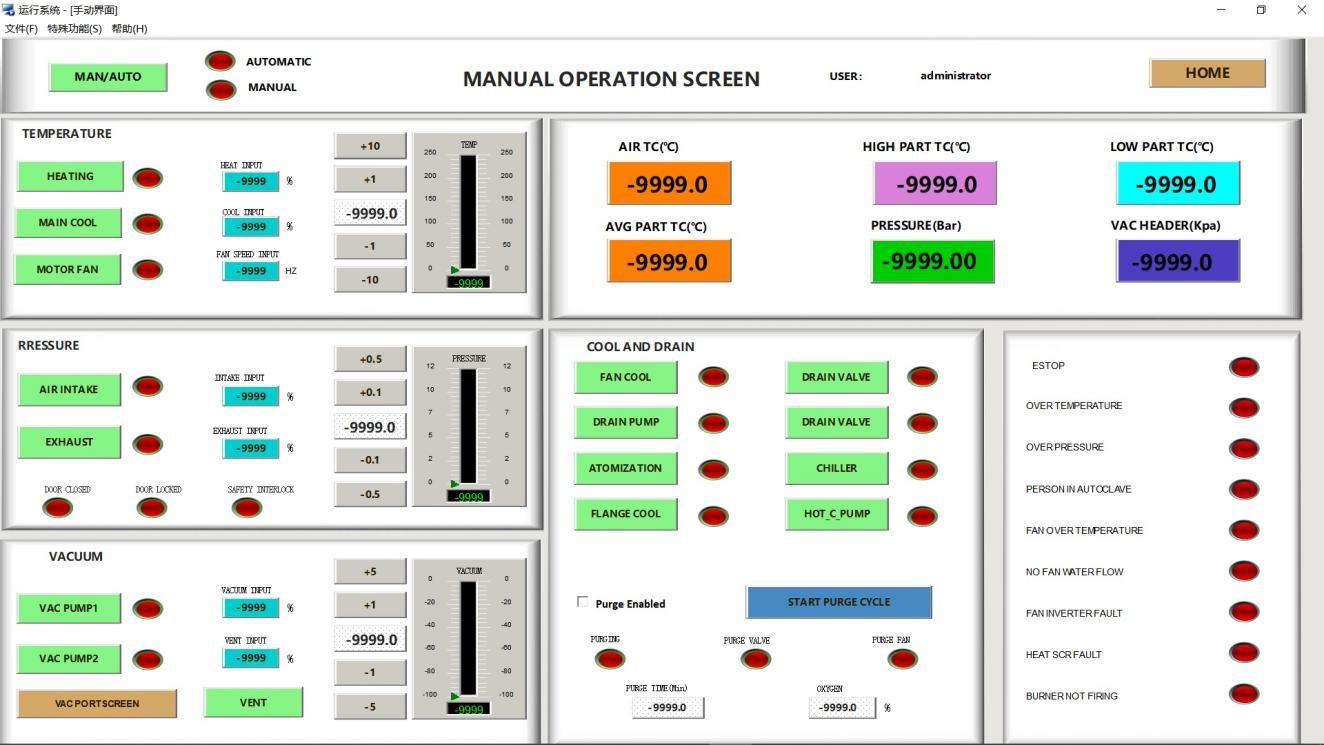
4.Manual Operation Interface
Designed for system debugging and special recipe execution.
Once manual mode is activated, individual components (heating, vacuum, pressure, etc.) can be controlled independently.
Built-in safety interlocks are incorporated to ensure operational safety.
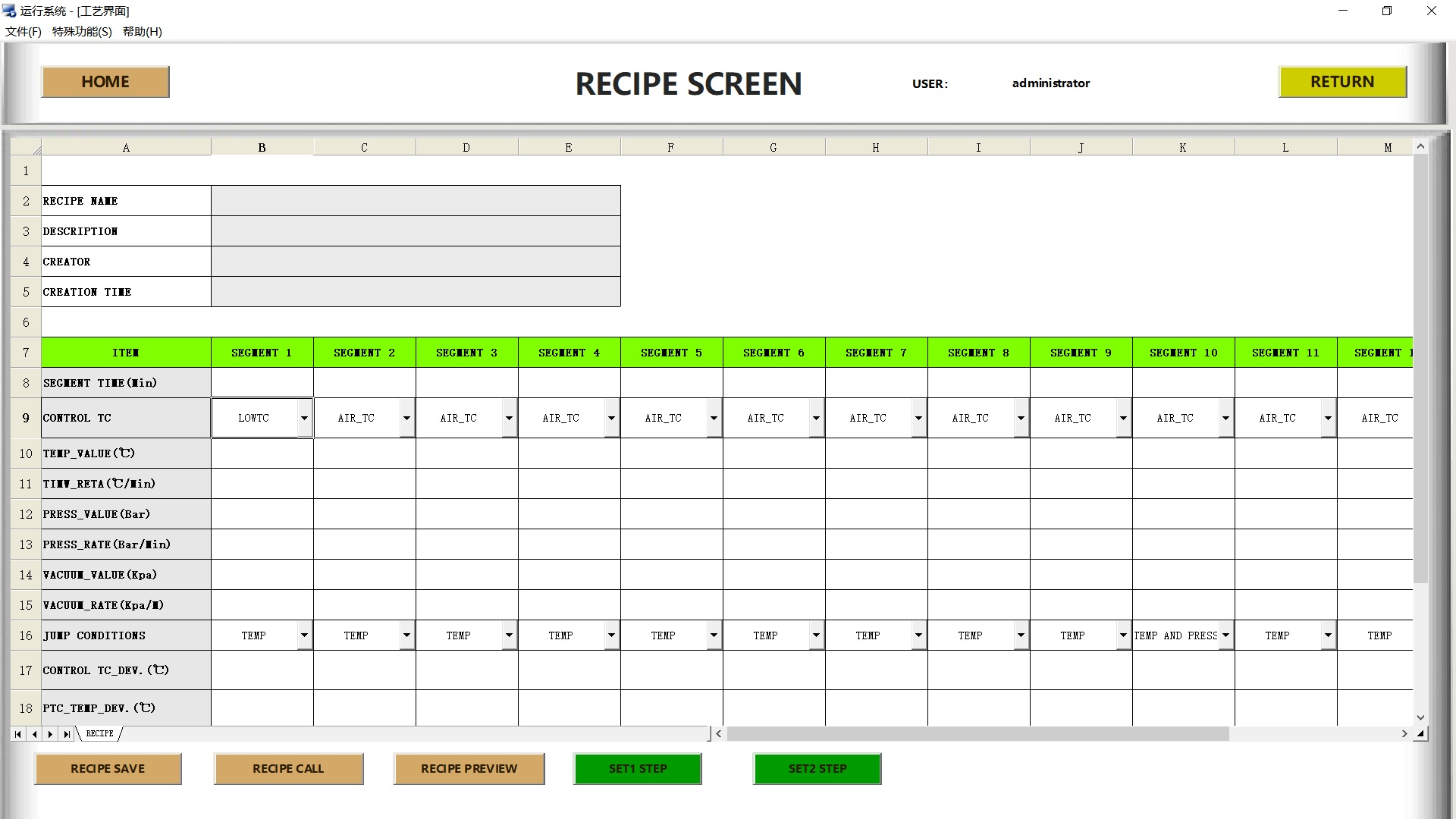
5.Recipe Interface
Create, edit and save recipe.
Set parameters (temperature, pressure, time, etc.) for each stage and send them to the controller.
The final stage is forced to be "End" to ensure operational safety.
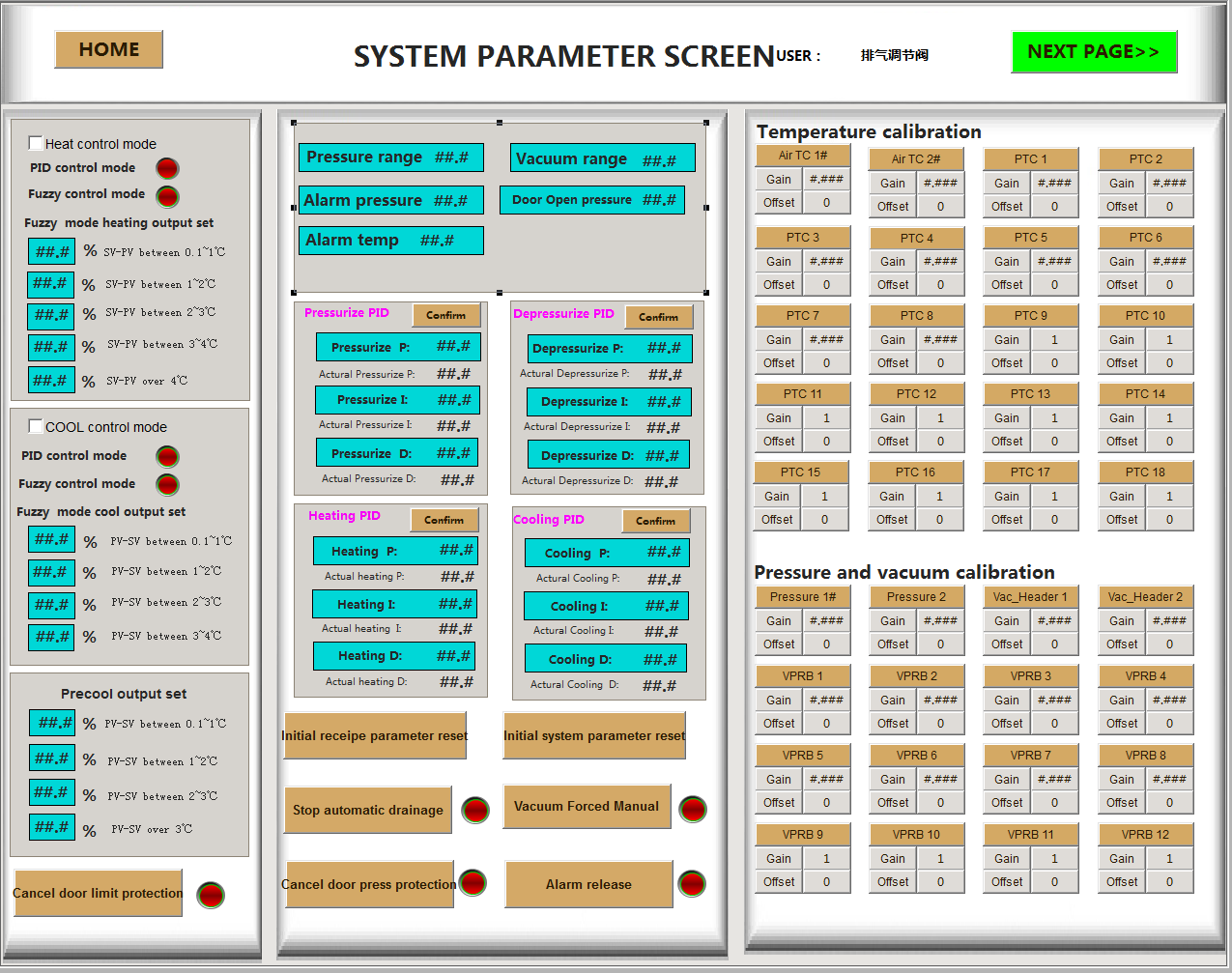
6.System Parameters
Sensor calibration and safety parameter configuration.
Management of safety protection options and system initialization.
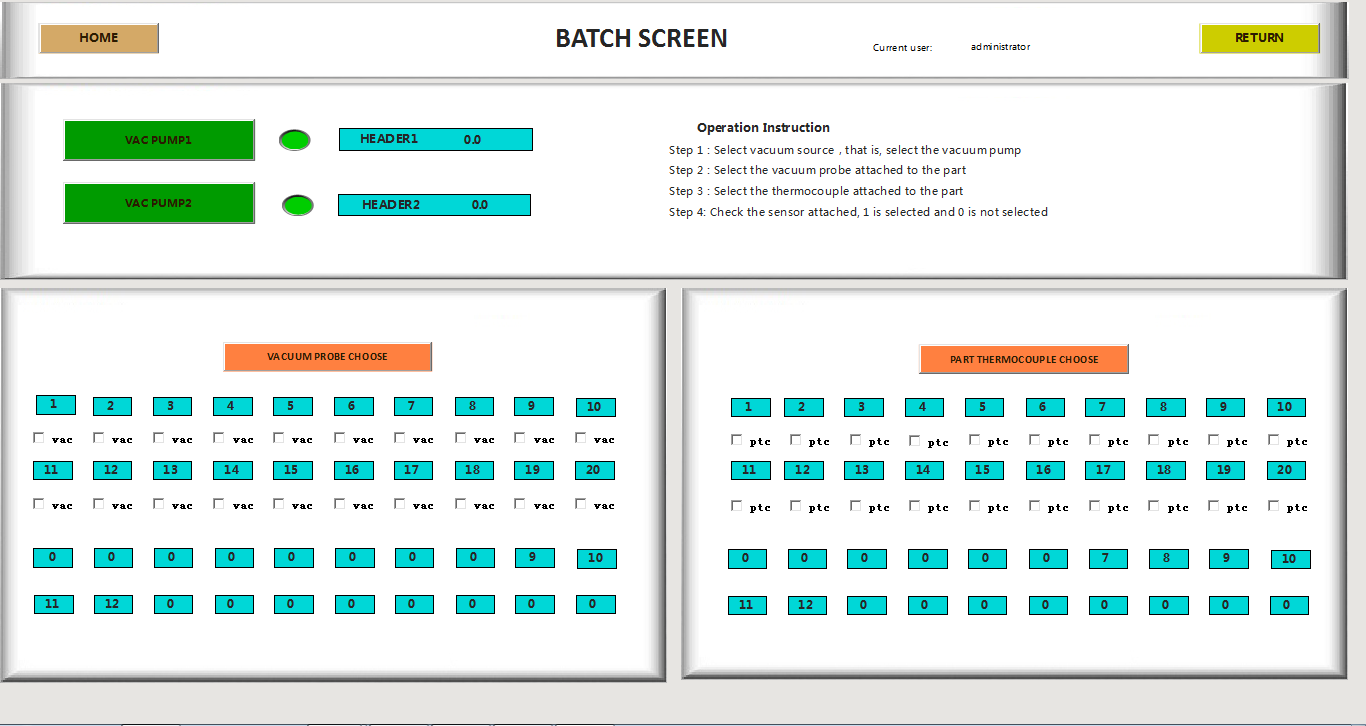
7.Batch Interface
Configure vacuum sources and bind corresponding sensors for each production batch.
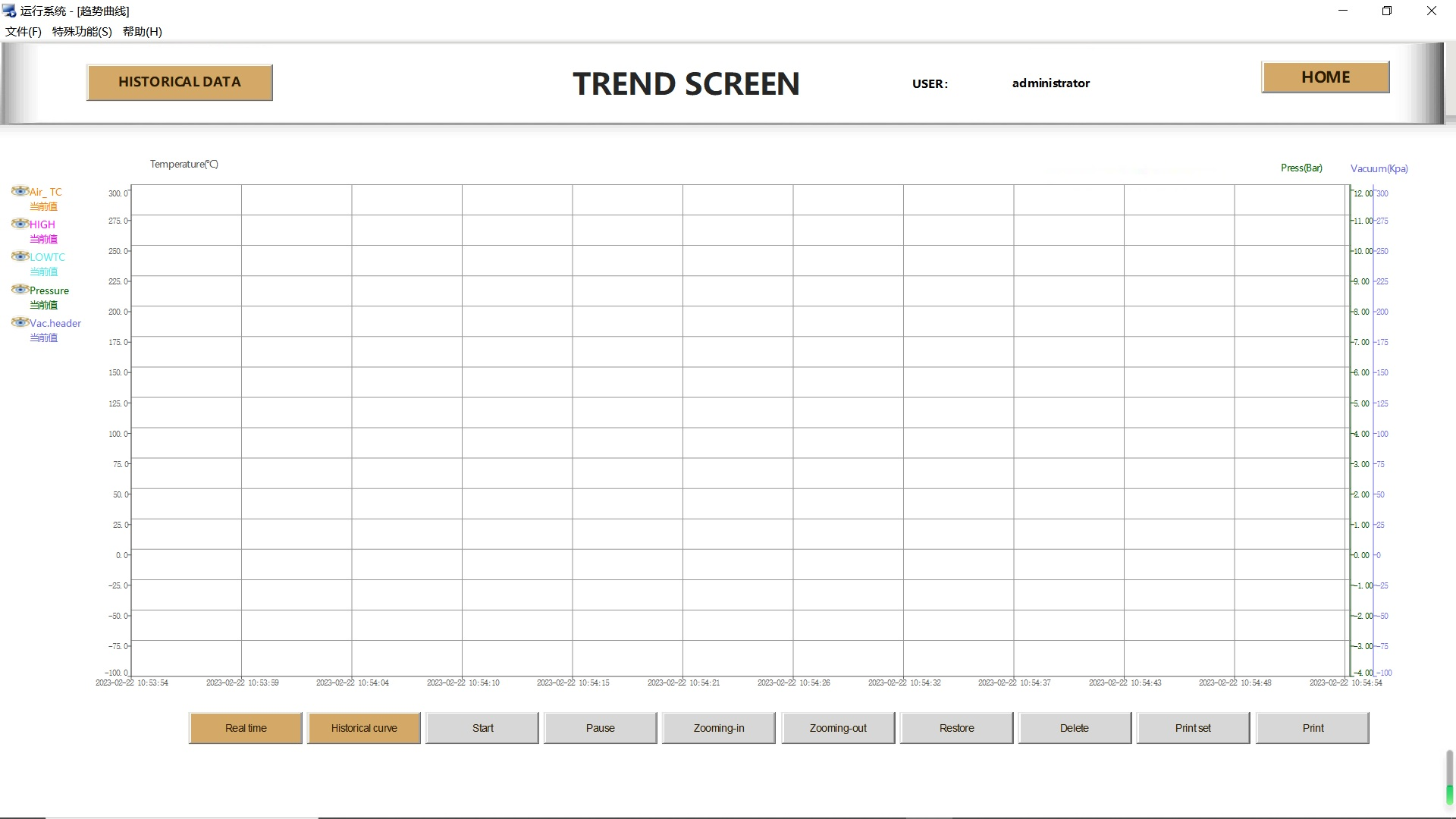
8.Trend Interface
Visualized data display module.
View real-time curves (within 1 hour) and historical curves for user-defined time periods.
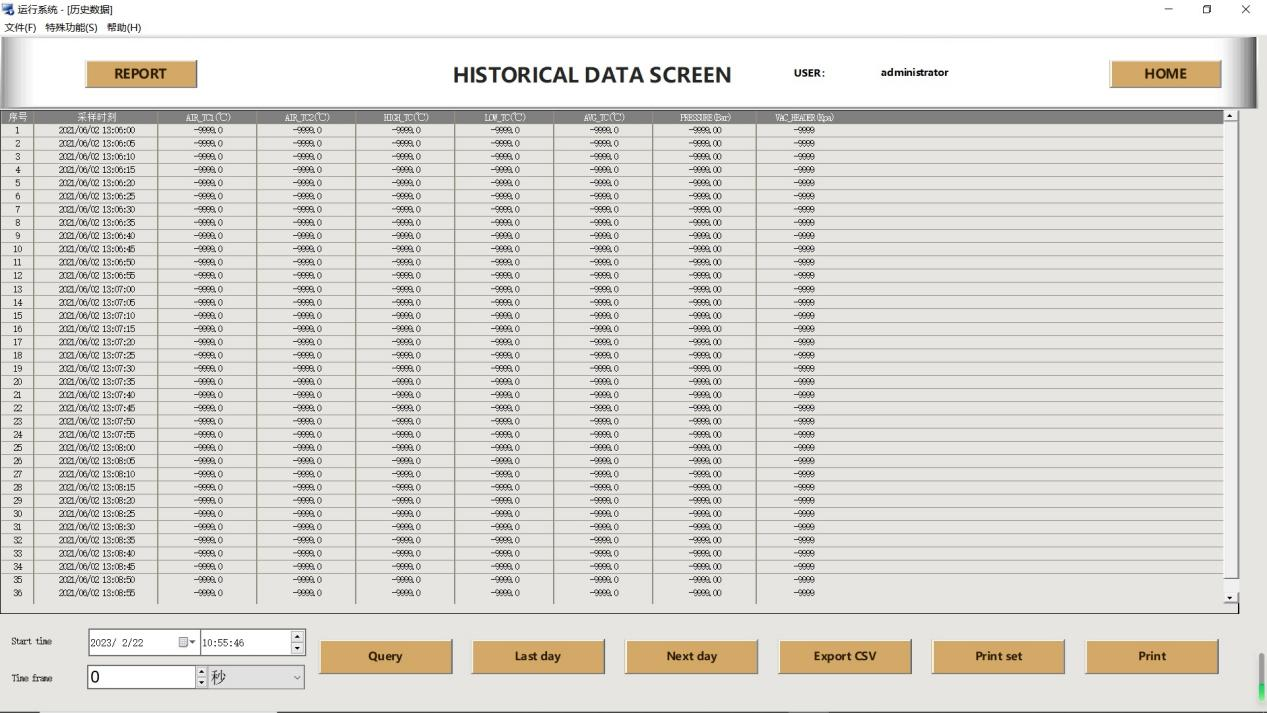
9.Historical Data Interface
Query historical operation records by time period.
Support data export in CSV format and printing function.
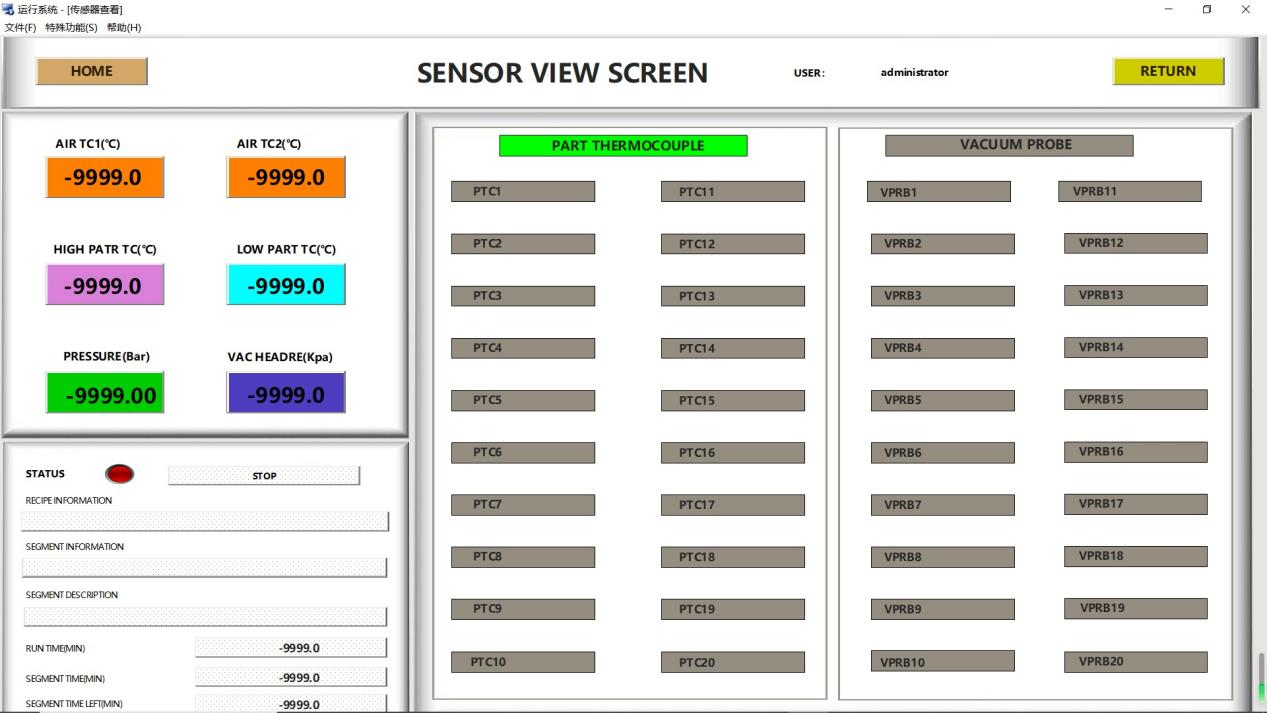
10.Sensor View Interface
Centralized display of real-time readings from all primary sensors.
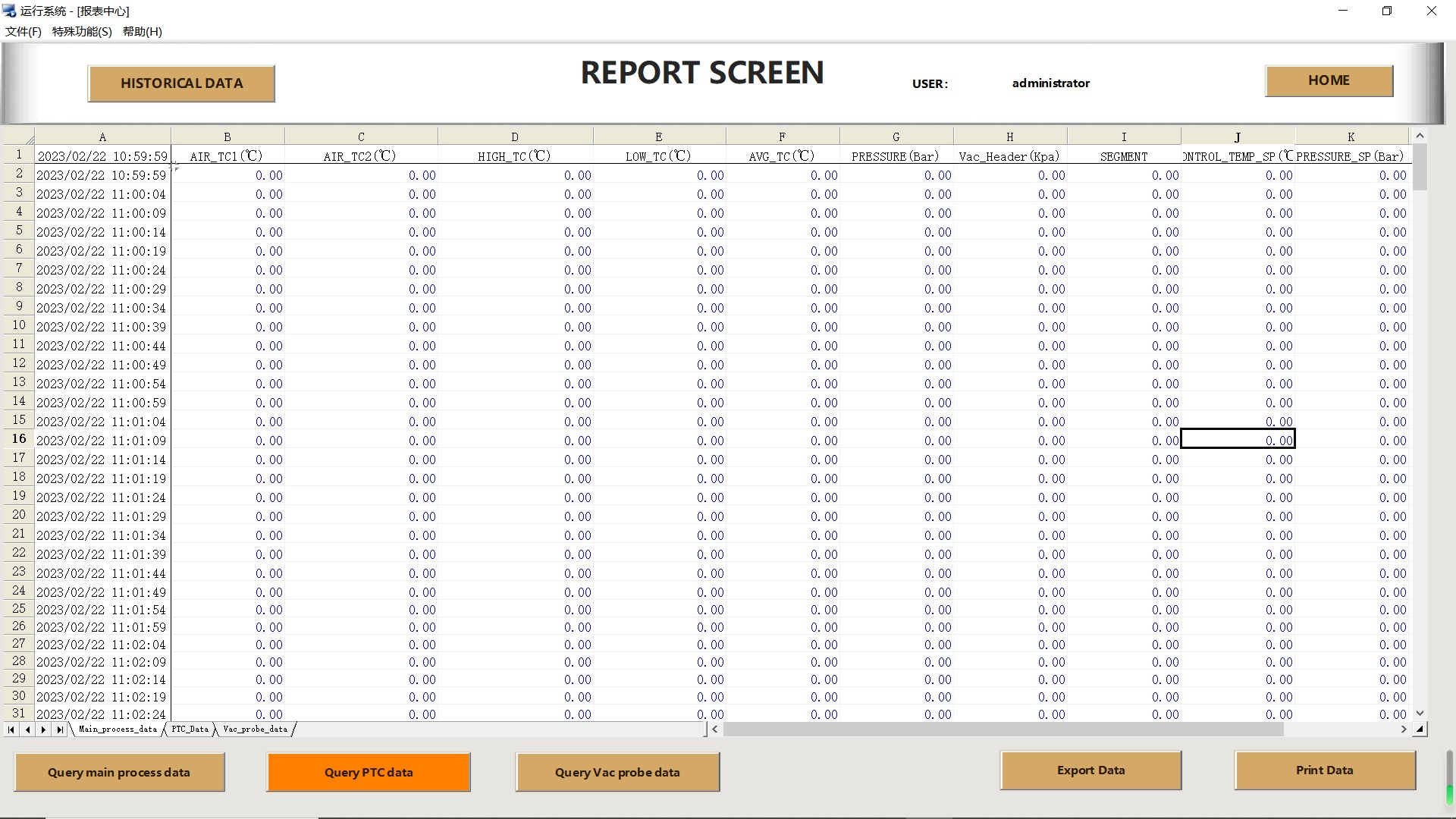
11.Report Interface
The report center is the system’s core module for generating and analyzing historical operation reports. Users can access this interface by clicking the Report Center button in the left navigation bar of the main page.